Is RetailGrid suitable for a single store?
Yes. A single retailer can use the same checkout, product, stock, customer, staff, and reporting workflows before adding more locations.
Australian retail POS
VPS RetailGrid is a web-based retail POS system for Australian shops and store networks that need sales, products, inventory, customers, staff access, and reporting to work together.
Australian sales contact
Sydney, Australia
Business-hours availability
Mon-Fri 9am-5pm AEST
One store or many
Shared products, staff controls, stock, and reports.
Talk to a person
1800 VPS AUS · We respond to sales enquiries within one business day.
POS system buying guide
The right POS system is more than a card terminal. It should help staff complete a sale quickly while giving owners dependable control over products, stock, people, and store performance.
| Area to compare | Questions to ask | RetailGrid capability |
|---|---|---|
| Checkout | Can staff find products, update a cart, take payment, and review transactions without changing systems? | Product and category browsing, cart handling, payment allocation, receipts, refunds, and transaction history. |
| Inventory | Does a sale remain connected to products, stock status, receiving, and transfers? | Products, categories, brands, suppliers, stock visibility, goods-in, store transfers, and stock reporting. |
| Customers | Can staff find a customer and understand their relationship with the business at the counter? | Customer profiles, lookup, purchase context, VIP-style segments, and loyalty-ready workflows. |
| People and controls | Can access be matched to a staff member, terminal, store, and responsibility? | Store users, roles, staff permissions, terminals, registers, and till closeout workflows. |
| Multiple locations | Will the system still make sense after a second store, branch, or franchise location opens? | Shared retail operations with store-level context, stock movement, user access, transactions, and management reporting. |
| Rollout and support | Who will help with setup, product data, staff access, and the move from the current POS? | A scoped demo and rollout conversation based on locations, registers, products, onboarding, and support needs. |
See the working product
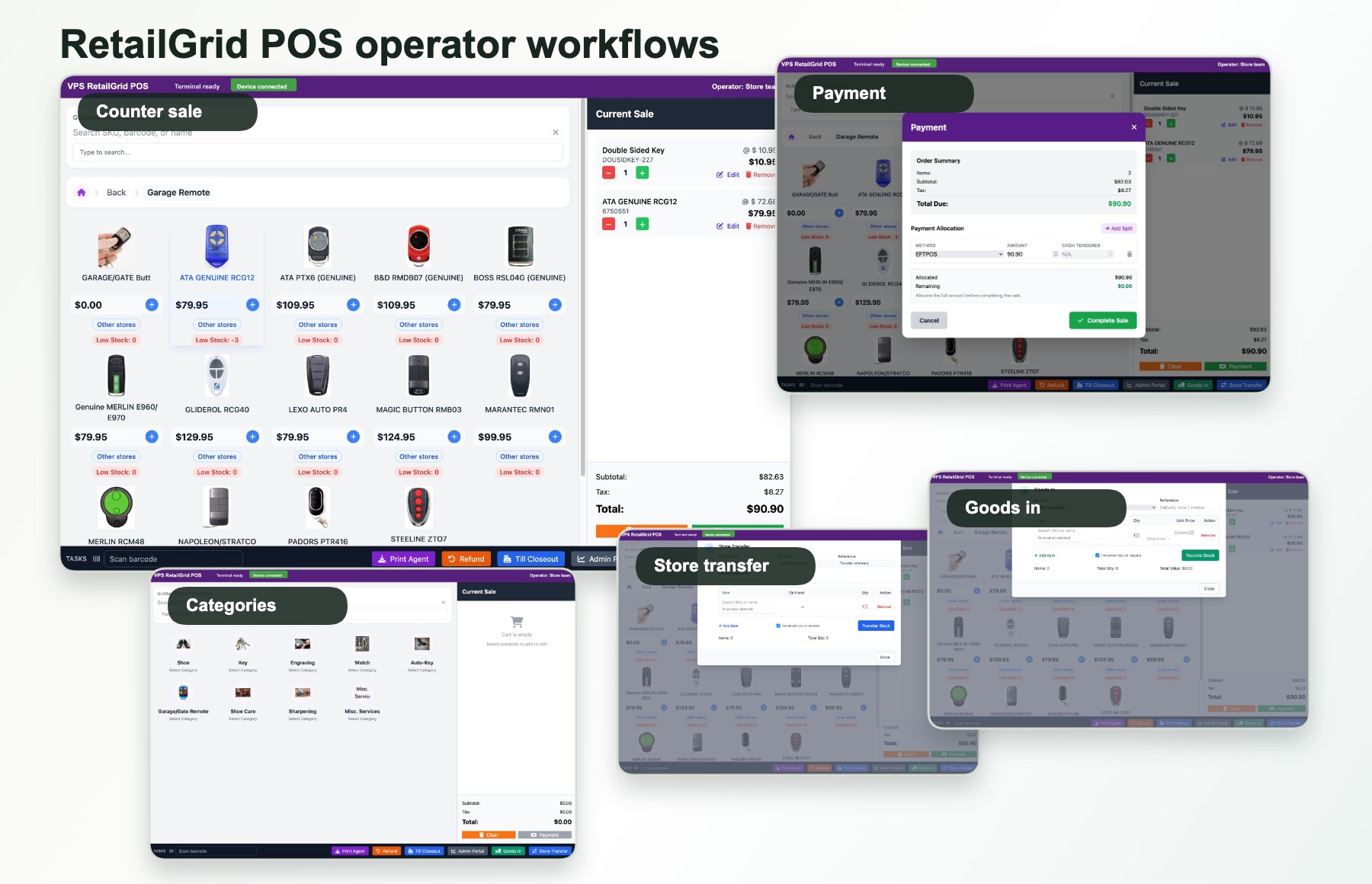
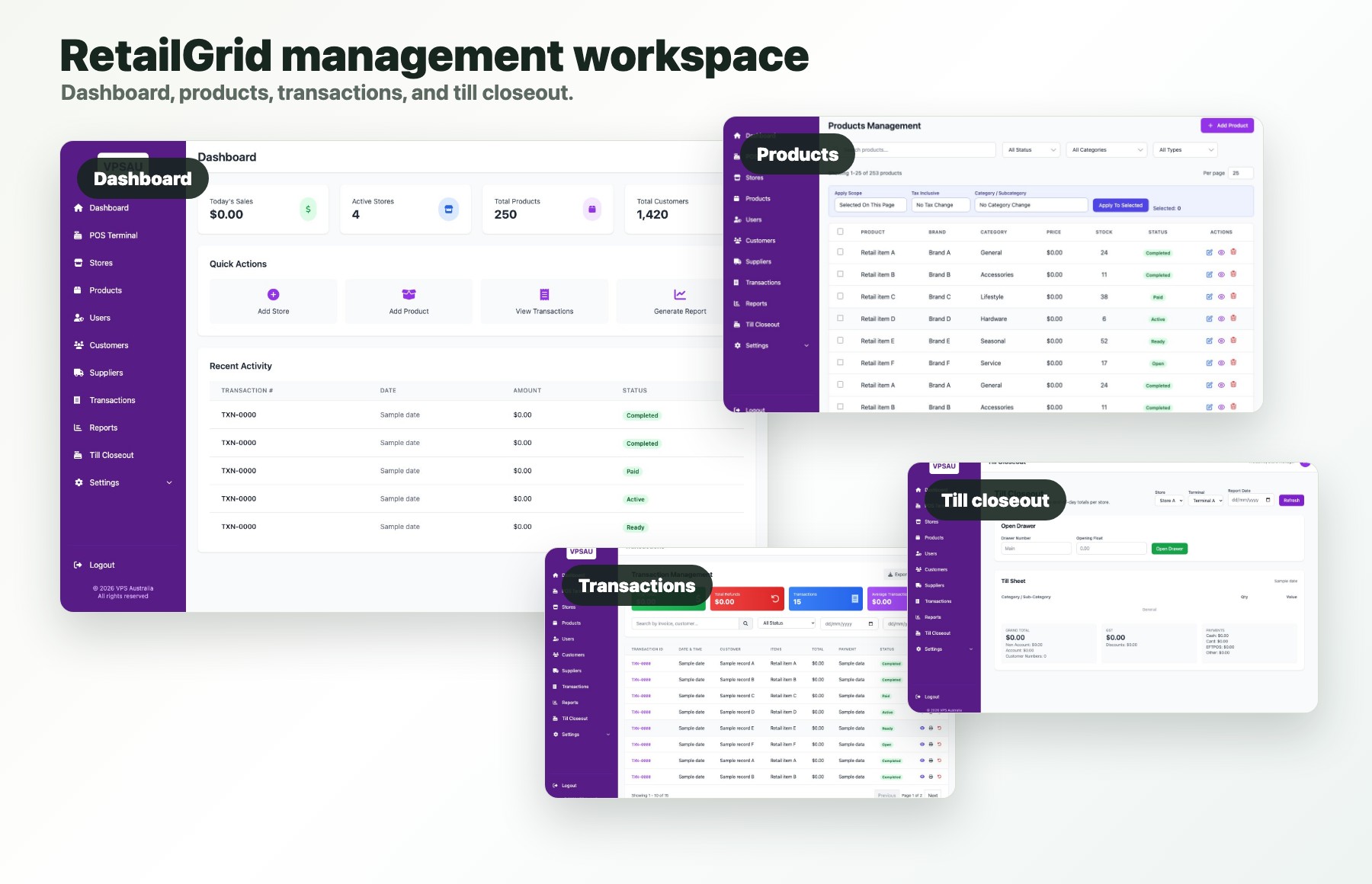
The POS terminal handles the shift-level work. The management area keeps products, stores, users, transactions, customers, inventory activity, and reports connected to that work.
At the counter
Browse products, build the sale, choose the customer, allocate payment, and keep a transaction record.
Behind the counter
Maintain product records, receive stock, move goods between stores, and manage operators and terminals.
For managers
Review sales, transactions, products, customers, stores, goods-in, transfers, and till closeout.
For growing retailers
Add store context and management visibility without replacing the core checkout workflow.
Choose by operating model
Independent retail store
Keep checkout, products, stock, customers, staff access, and daily reporting in one system.
Growing multi-store retailer
Connect store-level work with shared visibility across products, stock, users, transactions, and reports.
Franchise or store network
Balance consistent retail workflows with the local context each store and operator needs.
Strong RetailGrid fit
Confirm during the demo
Common POS questions
Yes. A single retailer can use the same checkout, product, stock, customer, staff, and reporting workflows before adding more locations.
RetailGrid keeps stores, terminals, users, transactions, stock activity, customers, and reporting connected while preserving store-level operating context.
RetailGrid connects product records and sales with stock status, goods-in, store transfers, suppliers, and inventory reporting. The demo can confirm the depth required for your catalogue and locations.
Migration scope depends on the current system and data available. Share your product catalogue, store count, customer data, and reporting requirements so onboarding can be assessed properly.
Australian POS fit
Tell us what you sell, how many stores or registers you run, which system you use now, and the first workflow that needs to improve.