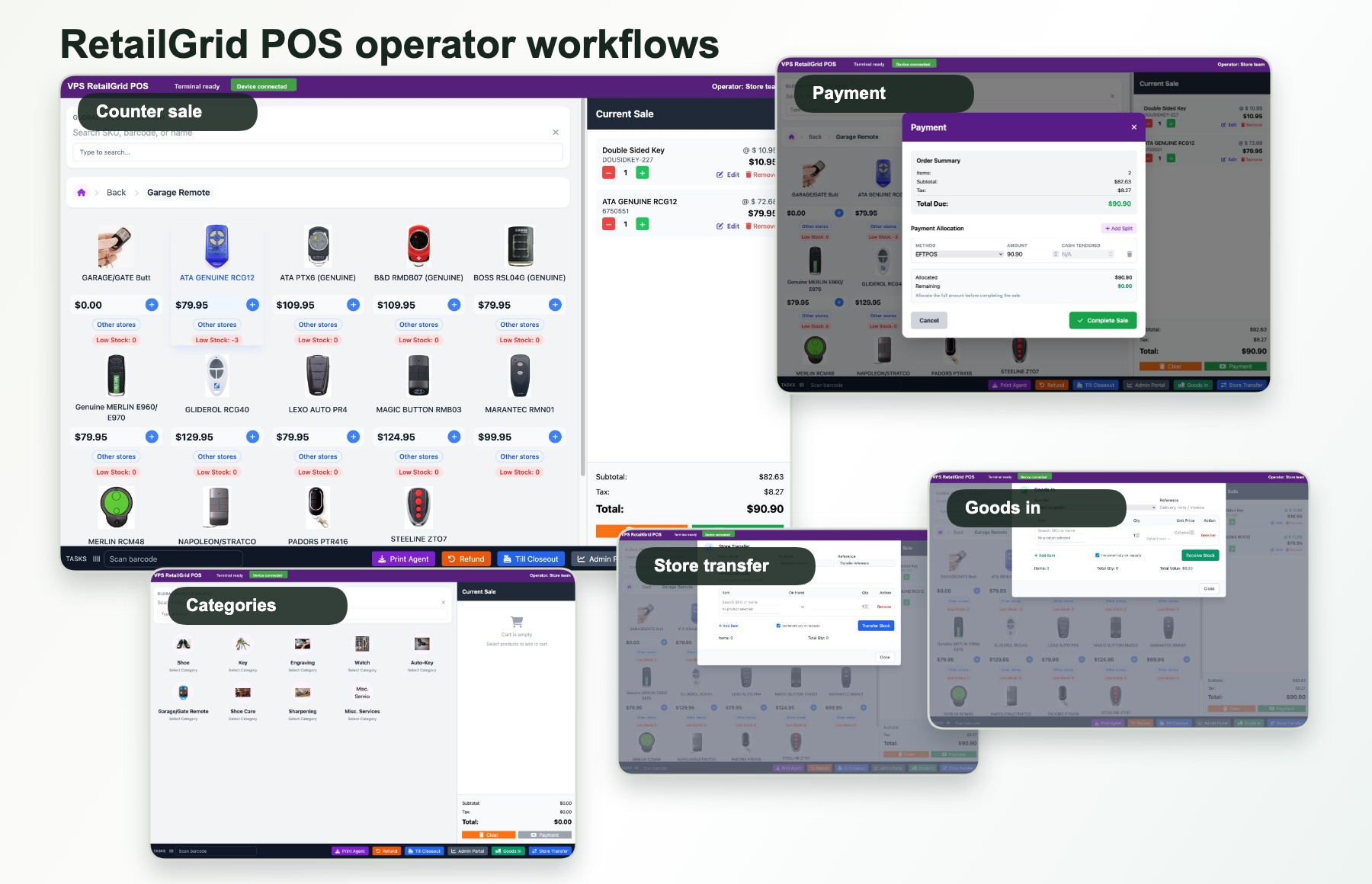
Australian POS alternatives
Comparing POS alternatives to Square, Lightspeed, or Vend in Australia?
Growing Australian retailers often outgrow simple payment terminals or overseas software when multi-store stock transfers, register permissions, or high transaction fees become roadblocks. See why retailers switch to VPS RetailGrid.
Australian support
Sydney, Australia · Mon-Fri 9am-5pm AEST
Direct phone
Multi-store native
Live stock, store transfers, and head office reports.
Keep your merchant rates
Integrate with Tyro and Australian EFTPOS terminals.
Why retailers switch
Where traditional and overseas POS systems hit limits.
Most POS platforms are designed either for single-operator cafes or massive multinational department stores. Independent Australian store networks get caught in the middle.
High card percentage fees
Flat-rate fee providers charge 1.6% to 2.6% on every tap. For high-volume retail, integrating your own bank or Tyro EFTPOS terminal with Least-Cost Routing saves thousands every year.
Complex multi-store inventory
Systems built for single shops struggle when transferring goods between branch locations. RetailGrid includes native store transfers, goods-in, and cross-store stock lookups at the till.
Overseas support queues
When a register freezes on a Saturday morning, waiting for an international email ticket or chatbot is costly. RetailGrid is supported by a local team in Sydney reachable via direct phone.
Staff controls & cash drawer
Many modern systems treat every user the same. RetailGrid gives you granular operator PINs, manager overrides for refunds, and rigorous end-of-day till closeout reconciliation.
Side-by-side comparison
How VPS RetailGrid compares to common alternatives.
An objective overview to help you evaluate which retail system fits your store footprint.
| Comparison Area | Square / Payment Terminals | Lightspeed / Vend | VPS RetailGrid |
|---|---|---|---|
| Best suited for | Sole traders, pop-ups, single cafes, low-SKU shops | Established retailers needing extensive third-party app ecosystems | Independent Australian retail shops, boutiques, multi-store retailers, and franchises |
| Payment terminals | Locked to proprietary Square card hardware | Supports select integrated card processors | Integrate with Australian EFTPOS (Tyro, Linkly) or use standalone terminals |
| Multi-store stock transfers | Basic; often requires manual stock adjustments | Supported on higher tier plans | Native inter-store stock transfers, transit tracking, and goods-in receiving |
| Staff roles & PIN access | Requires paid "Square Team Plus" subscription | Included in standard tiers | Included: Operator PINs, role-based store access, till cash reconciliation |
| Customer loyalty | Paid monthly add-on module | Included on select higher tiers | Included: Customer profiles, VIP grouping, purchase history at checkout |
| Local Australian support | Primarily community forum and overseas support tickets | Varies by plan tier and time zone | Direct phone support (1800 VPS AUS) with Sydney-based retail team |
Common migration questions
Switching POS systems without disruption.
Can we migrate our existing product catalogue?
Yes. Product records, categories, brands, suppliers, barcodes, and current stock counts can be exported from your current POS via CSV and imported cleanly into RetailGrid during onboarding.
Do we have to buy all new barcode scanners and receipt printers?
No. RetailGrid is web-based and connects with standard USB and Bluetooth barcode scanners, cash drawers, and ESC/POS receipt printers (e.g., Epson, Star Micronics).
Can we keep our current EFTPOS provider?
Yes. You can continue using your bank's EFTPOS terminal or Tyro integrated EFTPOS. RetailGrid gives you total flexibility so you aren't forced into high proprietary payment processing fees.
How long does it take to get staff trained?
Because the RetailGrid counter interface is designed around practical touch and keyboard flows, casual and retail staff usually become comfortable running sales, lookups, and till closeout within 30 minutes.
What to cover before switching POS systems.
Use the assessment to work through the practical details before committing to a change.
Catalogue and stock
Review the product fields, barcodes, categories, and stock counts available from your existing system.
Hardware and payments
List your printer, scanner, and EFTPOS models so compatibility can be checked before rollout.
Store rollout and training
Agree which checkout, stock, and closeout workflows staff need to practise before a store switches.
Evaluate RetailGrid
Plan your POS move around your actual store setup.
Tell us what POS system you use today, how many stores or registers you operate, and the primary reason you are considering a change.