Retail POS software Australia
Retail POS software for Australian stores and growing store networks.
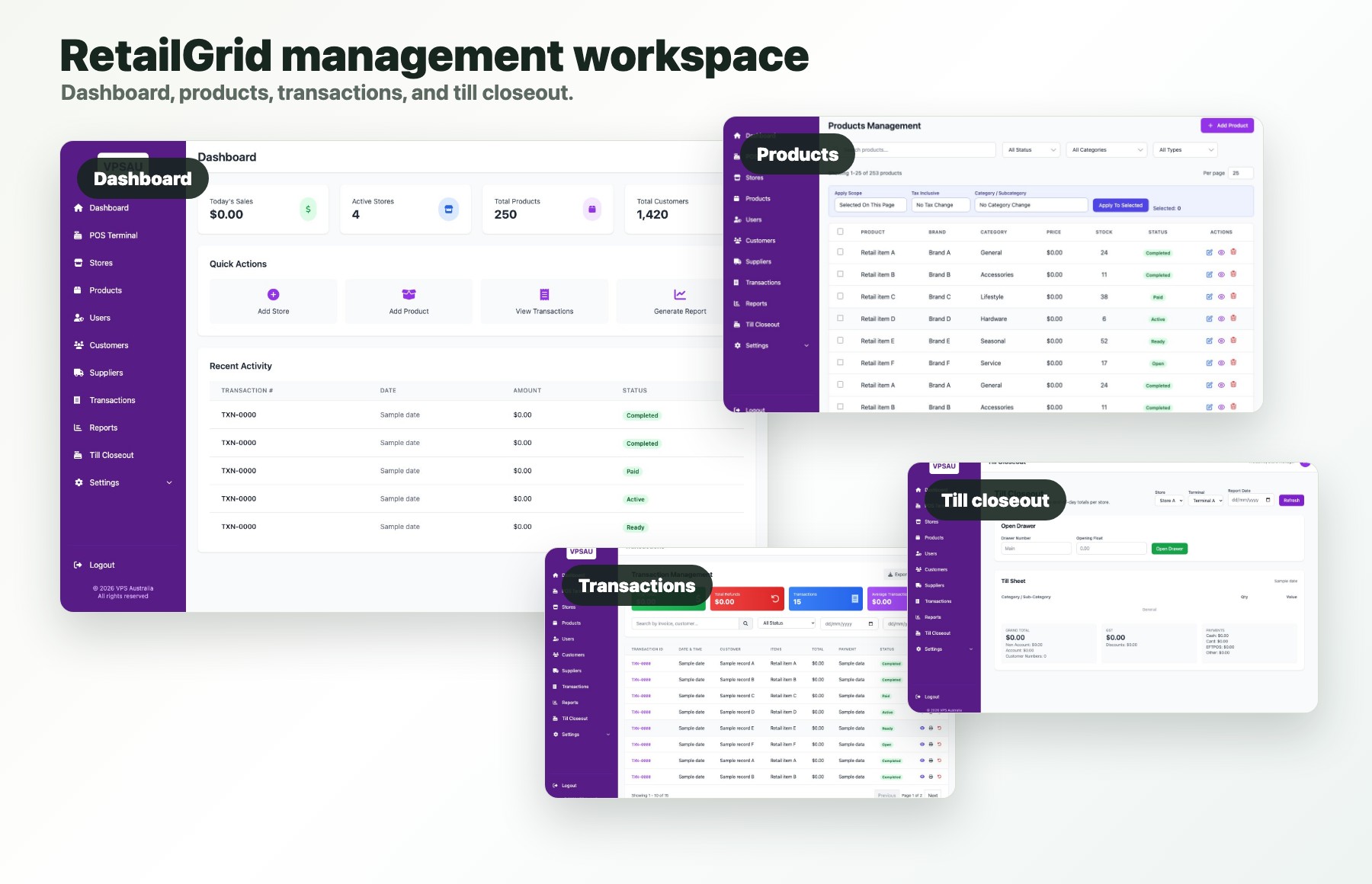
VPS RetailGrid brings checkout, products, inventory, customers, staff permissions, store operations, and reporting into one web-based retail platform.
Web-based retail platform
Connected checkout and management workflows.
Single and multi-store
Store, terminal, user, stock, and reporting context.
Australian contact
Sydney, Australia · Mon-Fri 9am-5pm AEST
Discuss your requirements
Retail POS software features
Software for the work around every retail sale.
A retail POS should help the person serving the customer and the person responsible for products, stock, staff, and store performance. RetailGrid keeps those responsibilities in the same operating system.
Point of sale
Product and category browsing, cart handling, customer selection, payment allocation, receipts, refunds, and transaction history.
Products and inventory
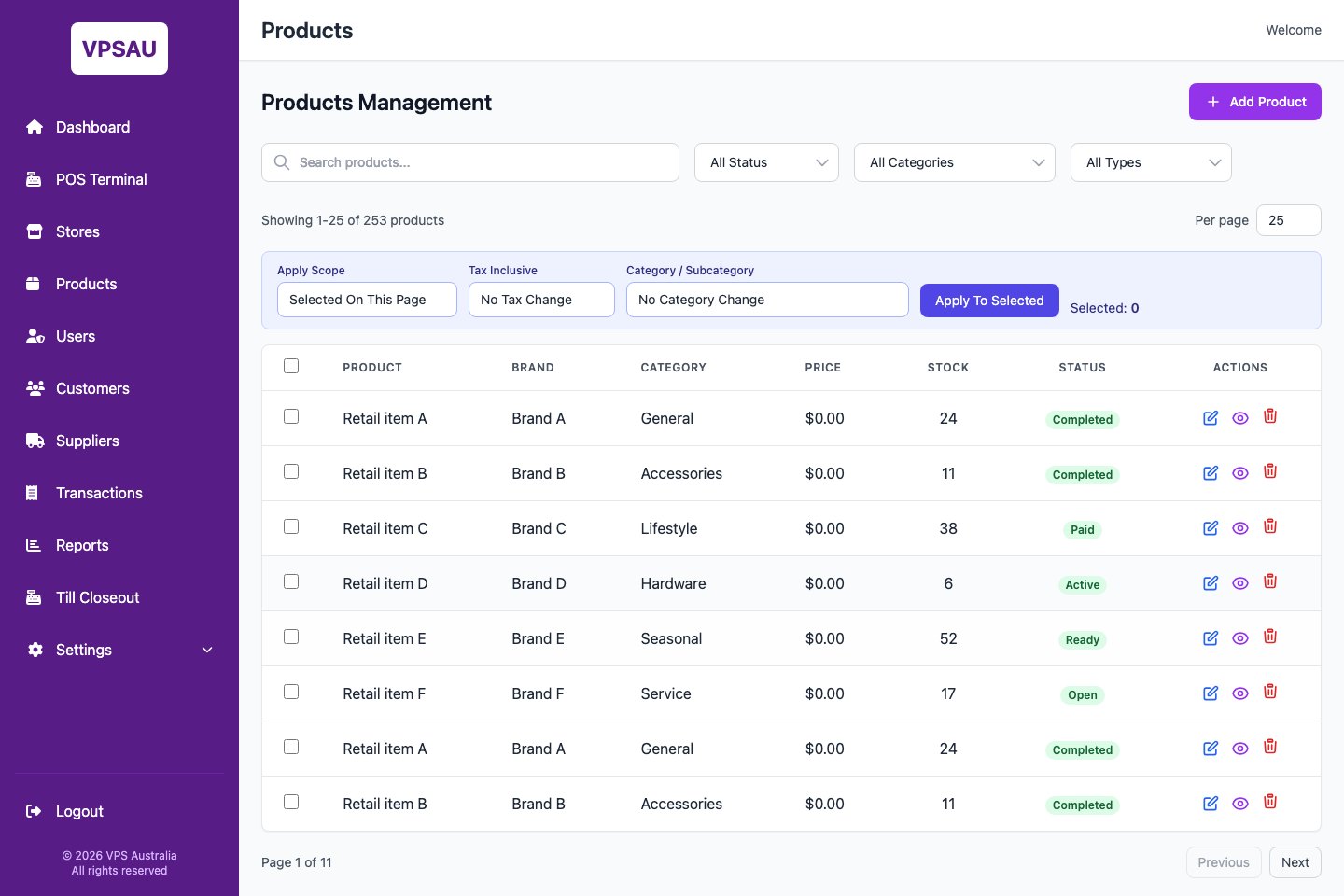
Product records, categories, brands, suppliers, stock status, goods-in, transfers, and product reporting.
Customers and loyalty
Customer profiles, lookup, purchase context, VIP-style segments, and loyalty-ready store workflows.
Stores and terminals
Store codes, terminals, registers, users, and local operating context for one or more locations.
Staff permissions
Match user access and responsibilities to the store, terminal, and work each team member performs.
Retail reporting
Review sales, transactions, products, customers, stores, goods-in, transfers, and till closeout activity.
From product record to completed sale
Keep the catalogue, stock, and checkout connected.
The value of retail POS software appears between transactions: maintaining clean product data, knowing where stock sits, receiving and transferring goods, controlling staff access, and understanding what happened during the day.
1. Maintain the retail catalogue
Organise products using the categories, brands, suppliers, pricing, and stock context staff need.
2. Sell from the same product data
Let operators browse or find products, build the cart, select a customer, and complete checkout.
3. Review and act
Use transaction, product, customer, store, goods-in, transfer, and closeout reporting to understand daily activity.
POS software or payment terminal?
Know which part of the retail stack you are comparing.
A payment terminal processes a payment. Retail POS software manages the sale and the operating context around it. Many retailers need both, but they solve different jobs.
Retail POS software
Runs the retail transaction and store workflow.
- • Products, prices, categories, customers, and cart.
- • Inventory visibility, receiving, and store transfers.
- • Staff access, terminals, transaction history, and reports.
- • Store-level and multi-store operating context.
Payment terminal
Handles the card payment step.
- • Presents or captures the payment amount.
- • Connects to the chosen payment provider.
- • Authorises or declines the card transaction.
- • Hardware and integration requirements should be confirmed during the demo.
POS software evaluation checklist
Bring your real store workflow to the demo.
A useful comparison starts with the business you operate today and the changes you expect over the next few years.
Store footprint
List every store, register, terminal, stock location, and management user that needs access.
Catalogue shape
Bring product counts, categories, brands, suppliers, pricing needs, and the data available from the current system.
Counter workflow
Walk through product lookup, customer selection, payments, refunds, receipts, and end-of-day closeout.
Stock movement
Explain how goods arrive, how stock moves between stores, and where visibility breaks down today.
People and permissions
Map operators, store managers, owners, and any franchise or tenant boundaries.
Reports and integrations
Identify the reports, payment hardware, accounting, ecommerce, and other integrations that must be assessed.
Retail business fit
Explore POS software by store type.
Retail stores
For independent shops and growing retailers managing checkout, stock, customers, staff, and reporting.
Clothing and fashion
For boutiques and apparel stores where product organisation and stock visibility are central.
Franchise and store networks
For retail groups balancing consistent operations with store-level access and reporting.
Retail POS software demo
Test RetailGrid against your real requirements.
Share the type of retail business, number of stores, current POS software, catalogue shape, payment setup, and the first workflow you want to improve.